AWeber Automation in Brief
AWeber automation runs through workflows: drag-and-drop sequences that start when a subscriber does something, then send messages, wait, apply tags or check an RSS feed. Once a workflow is on, it runs for every subscriber who meets the starting condition.
This is where AWeber began. It was one of the earliest autoresponder tools, and simple, reliable sequences are still its strongest feature.
The main thing to know before you build is the plan limit. The free account includes one automation, Lite includes three and Plus is unlimited. We'd plan your workflows on paper first, then pick the plan that fits.
If you want welcome sequences, lead magnet delivery and tag-based follow-ups without a steep learning curve, AWeber's workflows are hard to beat. Start with one welcome workflow on the free account, then move to Plus once you need more than three.
The Five Building Blocks of a Workflow
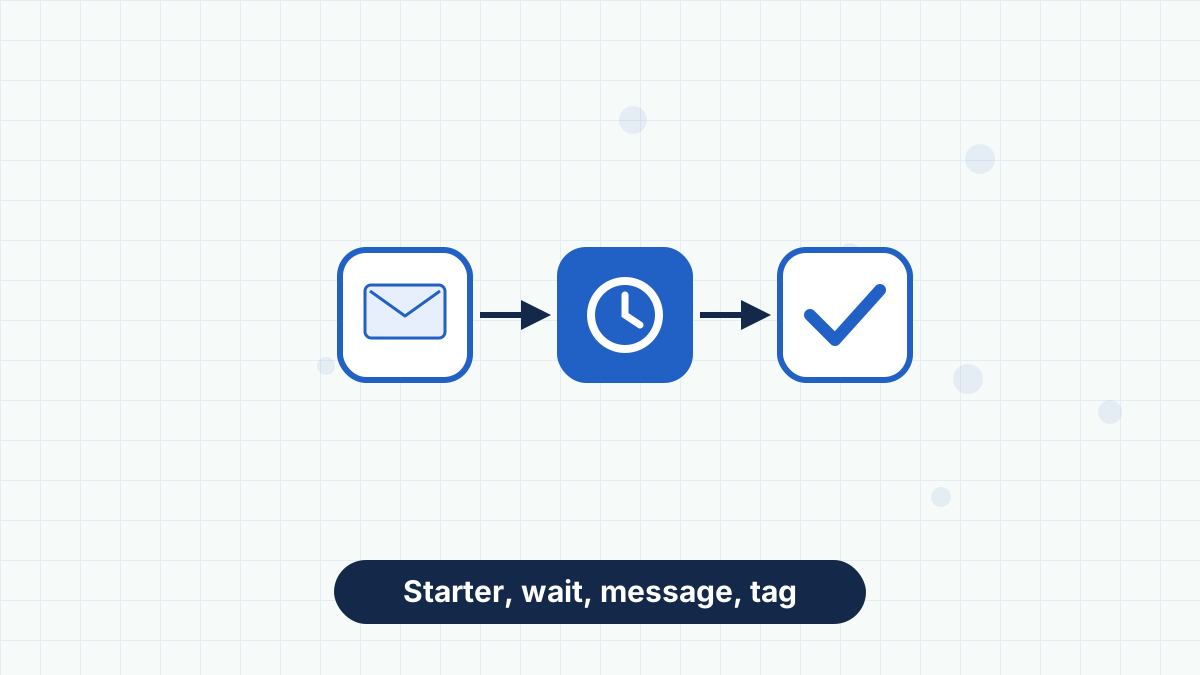
Every AWeber workflow is assembled from five actions. Understanding them makes any automation easy to design.
The trigger that puts a subscriber into the workflow, such as joining your list or receiving a specific tag.
An email that goes out at that point in the sequence. You write it once; every subscriber who reaches the step receives it.
A pause between steps, measured in minutes, hours or days. Waits are what turn a batch of emails into a paced sequence.
Adds or removes a tag. Tags record what someone did and can start other workflows.
Looks at an RSS feed and sends your latest content, useful for blogs, podcasts and YouTube channels.
Workflows have a status, such as Draft, On or Off, so you can build at your own pace and switch on when you're ready. You can also choose whether to include current subscribers when you turn a new workflow on.
Click and Open Rules: Behavior-Based Tagging
Inside any message in a workflow, you can add automation rules. When a subscriber opens that message or clicks a specific link, AWeber can add or remove a tag.
This is how you learn what people care about without asking. If someone clicks a link about pricing, tag them "interested-pricing." If they click a recipe link, tag them "recipes." Those tags can then start a more relevant follow-up workflow.
Workflows can also split subscribers down different paths based on tags or engagement. That means one welcome sequence can branch: people who clicked the beginner link get beginner emails, while people who clicked the advanced link get something deeper. Learn more in AWeber tags and segments.
Five Workflows Worth Building First
These five cover the needs of most small businesses and creators. Build them in this order.
- Welcome Sequence
Starter: subscriber joins the list. Three to five messages over the first week introduce you, deliver your lead magnet and suggest a next step. This is the most-read sequence you'll ever write. See welcome email sequence.
- Lead Magnet Delivery
Starter: tag applied by a specific signup form, such as "downloaded-checklist." The first message delivers the file; follow-ups help people use it. If you run several lead magnets, each gets its own short workflow.
- Post-Purchase Follow-Up
Starter: tag applied after a purchase. Thank the buyer, help them get started and ask for feedback a week later. It's the easiest way to turn a single sale into a repeat customer.
- Content Interest Branch
Starter: tag applied by a click rule. If someone clicks a topic link in your newsletter, send two or three more emails on that topic, then return them to your regular newsletter.
- Re-Engagement
Starter: tag applied to subscribers who haven't opened in a long time. Send a short "still interested?" series, and remove anyone who doesn't respond. This protects your deliverability and lowers your bill. See re-engagement email campaign.
How Many Workflows Does Each Plan Allow?
| Plan | Automations | Best for |
|---|---|---|
| Free | 1 | A single welcome sequence |
| Lite | 3 | Welcome, one lead magnet and one follow-up |
| Plus | Unlimited | Several lead magnets, purchase follow-ups, branches and re-engagement |
The five workflows above already add up to more than Lite allows. That's why we usually recommend going straight from the free account to Plus once you start building a real funnel. Compare plans in AWeber Lite vs Plus.
RSS-Triggered Emails
The Check Feed action pulls the latest item from an RSS feed into a workflow. That works for blog posts, podcast episodes and YouTube videos, anything that publishes a feed.
For bloggers, this is a quiet superpower. Your list hears about every new post without you writing a separate email. You can control how often it checks and what the email looks like. Full setup in our AWeber RSS to email guide.
Tips for Workflows That Perform
A few habits make the difference between workflows that help and ones that annoy:
- Keep sequences short. Three to five emails is plenty for most purposes. Long sequences overlap with your newsletter.
- Name tags consistently. Use a pattern like "action-topic" so you can find them later.
- Remember workflows are per list. Workflows and tags are specific to each list, another reason to keep everyone on one list.
- Test with your own address. Subscribe yourself and confirm every step fires.
- Review stats monthly. AWeber shows workflow performance, so you can spot a weak email and rewrite it.
Where AWeber Automation Has Limits
AWeber's workflows cover the sequences most small businesses need. If you need lead scoring, multi-condition branching across dozens of behaviors or a sales pipeline tied to automation, a CRM-style platform will go further.
That's a trade-off rather than a flaw. More power means more complexity, and most people sending newsletters and sequences benefit from simplicity. If you're weighing that trade-off, read AWeber vs ActiveCampaign.
Start with a welcome sequence on the free account, and upgrade to Plus when you're ready for unlimited workflows.
AWeber Automation FAQs
Does AWeber's free plan include automation?
Yes. The free account includes one automation, which is ideal for a welcome sequence.
What triggers can start an AWeber workflow?
Common starters include a subscriber joining your list or receiving a specific tag. Tags can be applied by forms, purchases, link clicks or message opens.
Can AWeber send different emails based on what subscribers click?
Yes. Click and open rules apply tags, and workflows can split subscribers down different paths based on tags or engagement.
Is AWeber automation as advanced as ActiveCampaign?
No. AWeber focuses on simple, reliable sequences, while ActiveCampaign offers deeper CRM-style automation at a higher complexity.